
Tutorial 01: How to Measure existing models.
First, ensure your model is properly scaled. Then, learn how to load it into Frame Designer and accurately measure its features.
Watch on YouTube ↗Tutorials
Watch the official FrameDesigner walkthroughs on YouTube. The videos demonstrate the software directly, while the ESA Motion Blog is where we publish longer written engineering articles and project notes.
These tutorials link directly to the official YouTube videos instead of duplicating generic written instructions. That keeps the tutorials focused on real, visual FrameDesigner workflows: importing reference models, measuring, creating tubes and bends, running simulations, exporting CAD, building replica frames, and routing exhaust systems.
First, ensure your model is properly scaled. Then, learn how to load it into Frame Designer and accurately measure its features.
Watch on YouTube ↗
In this video we keep learning how to use the graphic interface creating a simple cube of round tubes on 1mt x 1mt and export its fabrication document.
Watch on YouTube ↗
In this video we will explain how to add bends on tubes in frames, how to split tubes and move joints.
Watch on YouTube ↗
In this video we learn how to simulate the frame dynamic behavior and how to correct it with braces and materials.
Watch on YouTube ↗
In this video we learn how to export our frame in STEP/IGES formats to be then imported into other CAD software to continue our design.
Watch on YouTube ↗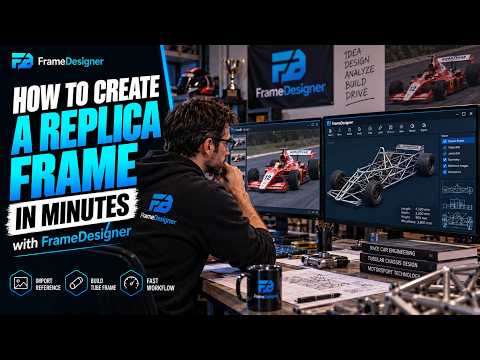
In this tutorial we explore a first example of Frame Designer, using all the tools explained in the previous episodes. This frame is just a simplified example, but it gives a clear view of the steps necessary to design a replica frame.
Watch on YouTube ↗
Learn how to design and simulate a custom engine exhaust system with FrameDesigner. In this tutorial, we’ll build exhaust headers directly around an engine reference model, create bends and tube routing, and then use simulation tools to visualize how the exhaust behaves.
Watch on YouTube ↗ESA Motion uses advertising on selected public content pages as one part of making the project financially sustainable. Advertising revenue helps us keep useful FrameDesigner functionality available to DIY builders at no cost and helps reduce the amount that must be recovered through paid subscriptions. Ads are kept separate from the engineering workspace and from account, billing, support, and legal pages.